

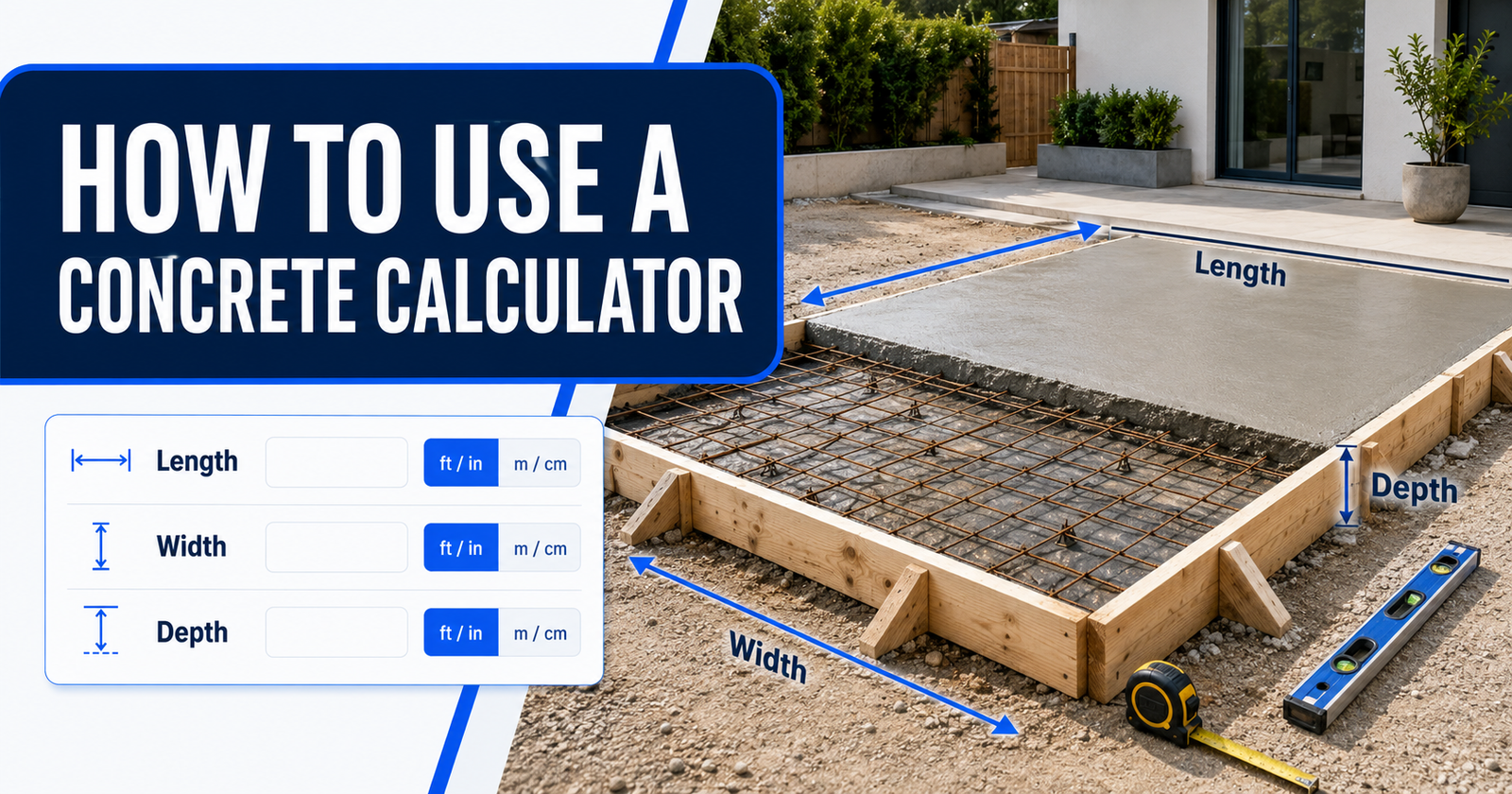
A concrete calculator estimates how much concrete a project needs from its length, width and depth. Enter accurate measurements, select the correct units and add a suitable waste allowance to get an order quantity in cubic yards, cubic metres, cubic feet or bags.
The calculation itself is simple, but small input mistakes can produce a large difference in the result. This guide explains how to measure your project, use a concrete calculator and check the final estimate before buying bagged concrete or ordering ready-mixed concrete.
What Does a Concrete Calculator Calculate?
A concrete calculator determines the volume of the space that will be filled with concrete. Volume describes three-dimensional capacity rather than surface area.
For a basic rectangular section, the calculation is:
Concrete volume = Length × Width × Depth
All three measurements must use compatible units. For example, dimensions measured in feet must be converted consistently before the result is expressed in cubic feet or cubic yards.
Depending on the available fields, a concrete calculator may provide:
- Concrete volume in cubic yards
- Concrete volume in cubic metres
- Concrete volume in cubic feet
- An adjusted quantity after adding waste
- An estimated number of pre-mixed concrete bags
- An approximate concrete weight
The result is a material estimate. It does not determine the correct slab thickness, concrete strength, reinforcement, footing size or structural design.
Information to Collect Before Using the Calculator
Measure the project after the formwork and excavation have been planned. Do not rely only on the dimensions shown in an early sketch because the finished space may be different.
You will normally need the following information:
- The shape of the concrete section
- Length and width for a rectangular section
- Diameter for a round section
- Concrete depth or thickness
- Number of identical sections
- Preferred measurement system
- Planned waste allowance
- Bag size and stated yield when using pre-mixed bags
Use the Actual Concrete Dimensions
Measure the space that concrete will occupy. For a slab, this means the internal length and width of the forms and the planned concrete thickness. For a footing or trench, use its actual excavated or formed dimensions.
An uneven base can increase the required volume. Check several points instead of measuring the depth in only one location.
Record Units With Every Measurement
Write the unit beside each dimension, such as 12 feet, 4 inches or 150 millimetres. A number without a unit can easily be entered in the wrong field.
Common units include:
| Measurement | Imperial or US customary units | Metric units |
|---|---|---|
| Length | Feet and inches | Metres, centimetres and millimetres |
| Area | Square feet | Square metres |
| Volume | Cubic feet or cubic yards | Cubic metres or litres |
How to Use a Concrete Calculator
Step 1: Select the Project Shape
Choose the shape that matches the section being filled. Common choices include a rectangular slab, wall, footing, circular column or post hole.
Divide an irregular project into smaller regular shapes. Calculate each section separately and add the results together. Do not use one average length or width when the project changes shape significantly.
Step 2: Choose Imperial or Metric Units
Select the measurement system used when taking the dimensions. Imperial inputs are common in the United States and may use feet and inches. Metric inputs are widely used in Canada, the UK, Australia and New Zealand, although local practice varies.
Avoid converting measurements mentally when the calculator provides separate unit selectors. Select the recorded unit directly whenever possible.
Step 3: Enter the Length and Width
Enter the internal dimensions of a rectangular slab, wall or footing. If the calculator provides separate feet and inches fields, divide the measurement correctly between them.
For example, enter 12 feet 6 inches as 12 feet and 6 inches. Do not enter it as 12.6 feet because 0.6 feet equals 7.2 inches, not 6 inches. The decimal equivalent of 12 feet 6 inches is 12.5 feet.
Step 4: Enter the Depth or Thickness
Enter the planned concrete thickness, not the excavation depth unless the entire excavation will be filled with concrete.
Thickness is commonly recorded in inches or millimetres while length and width are recorded in feet or metres. A good calculator converts these mixed units automatically, but the correct unit must still be selected.
Do not guess the required structural thickness. It may depend on soil conditions, loads, reinforcement, drainage, frost conditions and local building requirements.
Step 5: Enter the Quantity
If several sections have identical dimensions, enter the number of sections. Examples include fence post holes, footings, steps or column bases.
Calculate sections separately when their dimensions differ. Multiplying an average size can hide meaningful variations.
Step 6: Add a Waste Allowance
A waste allowance provides extra material for minor excavation differences, uneven bases, spillage and material left in handling equipment. It is applied after the measured volume is calculated.
The adjusted calculation is:
Order volume = Measured volume × (1 + Waste percentage ÷ 100)
For example, a measured volume of 1.50 cubic yards with 10% waste becomes:
1.50 × 1.10 = 1.65 cubic yards
No single waste percentage suits every project. Simple, accurately formed work may need less extra material than an irregular excavation or difficult placement. Ask the ready-mix supplier or site professional about minimum orders, delivery tolerances and an appropriate allowance.
Step 7: Calculate and Review the Results
Select the calculate button and review every result. Confirm that the volume unit matches the way concrete is sold in your area.
Ready-mixed concrete is commonly ordered by volume, such as cubic yards in the United States or cubic metres in metric markets. Bagged concrete is purchased by the bag, but each product has its own stated yield.
Worked Example Using Feet and Inches
Suppose a rectangular slab is 12 feet long, 10 feet wide and 4 inches thick.
First, convert the thickness to feet:
4 ÷ 12 = 0.333 feet
Calculate the volume in cubic feet:
12 × 10 × 0.333 = approximately 40 cubic feet
There are 27 cubic feet in one cubic yard:
40 ÷ 27 = approximately 1.48 cubic yards
With a 10% allowance:
1.48 × 1.10 = approximately 1.63 cubic yards
The calculator may display a slightly different rounded result because it uses the complete value of one-third rather than the shortened value of 0.333.
Worked Example Using Metric Units
Consider a slab measuring 4 metres long, 3 metres wide and 100 millimetres thick.
Convert 100 millimetres to metres:
100 ÷ 1,000 = 0.10 metres
Calculate the volume:
4 × 3 × 0.10 = 1.20 cubic metres
With a 10% allowance:
1.20 × 1.10 = 1.32 cubic metres
The estimated order quantity is therefore 1.32 cubic metres, subject to supplier ordering increments and a final site check.
Using the Calculator for Different Projects
Concrete Slabs and Patios
Measure the length, width and thickness inside the forms. Split L-shaped or stepped areas into rectangles and calculate each one separately.
Where the base varies, measure the depth at several points. A small increase across a large slab can add substantial volume.
Concrete Footings and Trenches
For a continuous rectangular footing, multiply its total length by its width and concrete depth. Calculate footings separately when their dimensions change.
Excavated trenches are rarely perfectly uniform. Loose soil, collapsed sides and over-excavation may increase the actual quantity.
Concrete Walls
Use wall length, wall height and concrete thickness. Deduct door or window openings only when the calculator supports deductions or when those openings will genuinely displace concrete.
Wall forms must be properly designed and supported. Wet concrete creates significant pressure, and formwork failure can cause serious injury and property damage.
Round Columns
A circular concrete section uses the cylinder formula:
Volume = π × Radius² × Height
The radius is half the diameter. A calculator with a circular-column option should make this conversion automatically after the diameter and height are entered.
Fence and Deck Post Holes
Enter the hole diameter, hole depth and number of holes. If the post occupies part of the hole, a detailed calculator may subtract the post volume.
Actual holes may widen at the bottom or lose soil from the sides. Measure representative holes instead of relying only on the drill or auger diameter.
How Bag Estimates Work
A bag estimate divides the required concrete volume by the yield of one bag and rounds the result up to a whole bag.
Number of bags = Required concrete volume ÷ Yield per bag
Bag weight alone does not provide a universal yield. Product formulation, bag size and manufacturer specifications affect the volume produced. Available sizes also differ between countries and products.
Check the yield printed on the current product packaging or technical data sheet. Select that exact bag size in the calculator when available. Always round up because a fraction of a bag cannot normally be purchased.
Common Concrete Calculator Mistakes
- Confusing area with volume: Square feet or square metres do not include concrete thickness.
- Entering inches as feet: A four-inch slab is not four feet thick.
- Using decimal feet incorrectly: Six inches equals 0.5 feet, not 0.6 feet.
- Forgetting multiple sections: One post-hole result must be multiplied by the total number of matching holes.
- Measuring only from drawings: Actual forms and excavations may not match planned dimensions.
- Ignoring waste: Ordering only the exact geometric volume leaves no allowance for site variation.
- Using a generic bag yield: Yield varies by product and bag size.
- Rounding too early: Keep full values during the calculation and round the final order quantity.
- Deducting reinforcement: Reinforcing bars usually do not justify reducing a normal concrete order estimate.
How to Check Whether the Result Is Reasonable
Perform a quick manual volume calculation and compare it with the calculator. The figures should be close when the same dimensions, units and waste allowance are used.
Also check:
- Whether every measurement is positive and in the selected unit
- Whether thickness was entered in the correct field
- Whether the number of sections is correct
- Whether waste has been added only once
- Whether the result is cubic yards, cubic metres or bags
- Whether the supplier accepts that ordering quantity
If the result appears unusually high or low, do not place an order until the entries have been checked.
Before Ordering Concrete
A calculator is only one part of planning a concrete placement. Confirm access for the delivery vehicle, placement method, labour, formwork, reinforcement, weather conditions and finishing time before arranging delivery.
Ask the supplier about minimum loads, part-load charges, delivery increments, waiting time and leftover-concrete policies. These conditions vary by supplier and location.
For foundations, load-bearing slabs, retaining walls, structural columns and other critical work, have the dimensions, concrete specification and reinforcement confirmed by a qualified local professional. Local permits and building rules may also apply.
Final Check
Measure the actual space, select the correct units, enter every dimension and review the calculated volume before adding waste. For bagged products, use the manufacturer’s stated yield. For ready-mixed concrete, confirm the final order quantity and delivery requirements with the supplier.
A concrete calculator can reduce arithmetic errors, but the result is only as reliable as the measurements and assumptions entered.